Home Assistant Connect AUX-2
$99.00
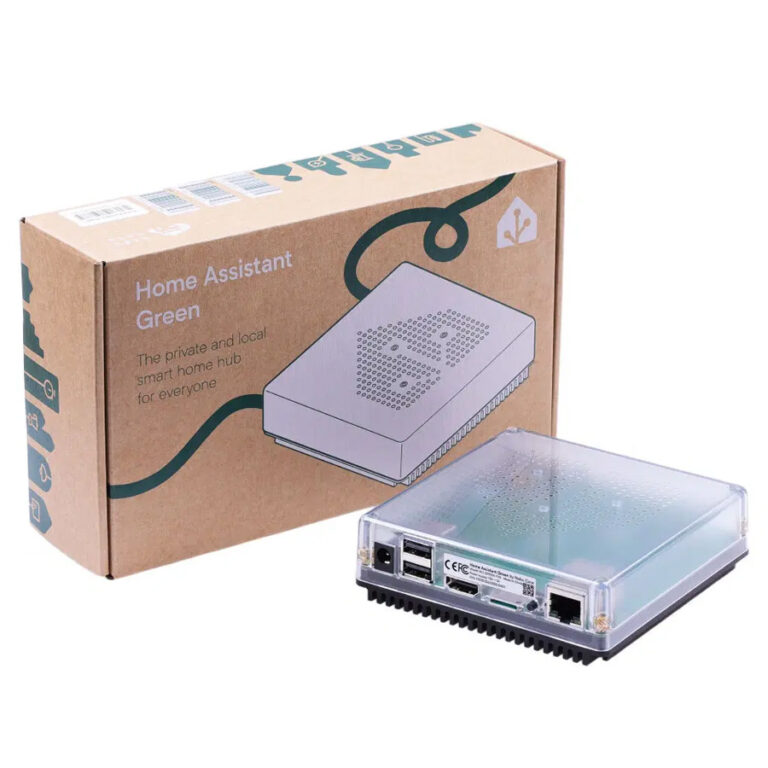
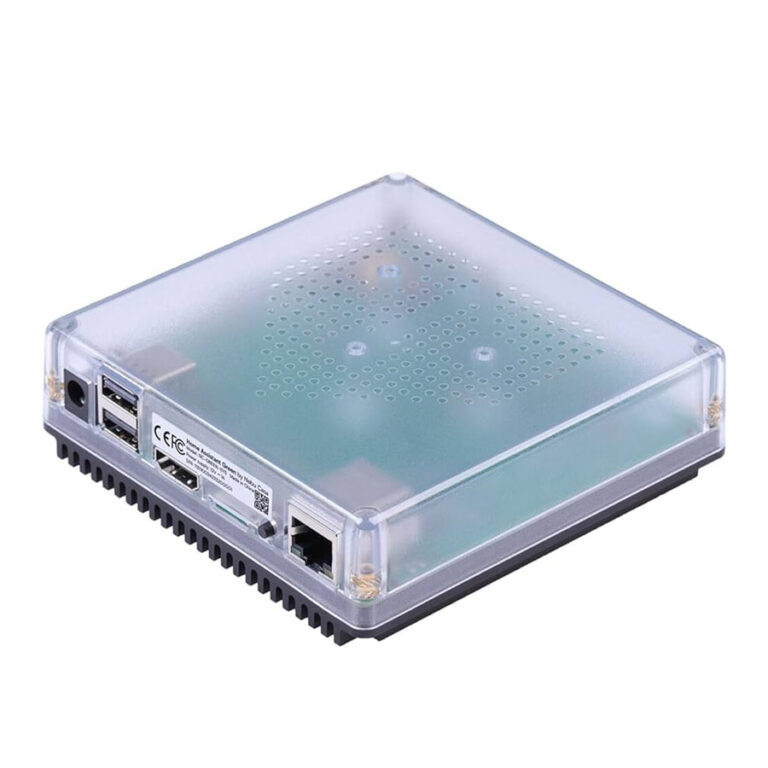
Give your existing equipment a smarter role with Home Assistant Connect AUX-2. Stream CD-quality audio to your Hi-Fi or AV receiver and synchronise playback with compatible smart speakers through Music Assistant. Its two RS-232 ports and USB expansion options bring compatible TVs, solar equipment and UPS systems into your Home Assistant setup. Extend Bluetooth LE coverage with a dedicated antenna, or add a separately sold Connect ZWA-2 to place your Z-Wave connection in a better location. Power over Ethernet delivers power and networking through one cable, with Wi-Fi and USB-C power options for added flexibility. Every purchase supports Home Assistant development.
Requires an existing Home Assistant system. Z-Wave and RS-485 adapters sold separately. Bluetooth audio is not supported.
In stock
Found this product at a lower price?FREE EXTENDED WARRANTY
SMARTHOME REWARD POINTS
FAST DELIVERY - FREE OVER $199
Home Assistant Connect AUX-2
Your favourite gear. More possibilities.
Bring your Hi-Fi, compatible serial devices and Bluetooth sensors into your Home Assistant setup. Home Assistant Connect AUX-2 adds synchronised audio, flexible connections and Power over Ethernet in one compact box.
Made for an existing Home Assistant system. Requires Home Assistant 2026.9 or newer. Cables, power accessories and optional adapters are sold separately.
Keep the Hi-Fi you love.
Stream music through analogue or optical audio and enjoy synchronised playback with compatible players.
Bring more gear into Home Assistant.
Connect supported serial equipment, extend Bluetooth LE coverage or relocate a ZWA-2.
One cable can do both.
PoE carries power and networking together. USB-C power and Wi-Fi give you other options.
Great sound deserves another chapter.
Still love the sound of your stereo? Give it a place in your connected home. AUX-2 sends 16-bit / 48 kHz stereo audio to your Hi-Fi, AV receiver or powered speakers.
Use a 3.5 mm analogue cable or a mini-TOSLINK optical cable to suit your equipment. With Music Assistant and Sendspin, you can group compatible players for music that follows you from room to room.
One audio output operates at a time. Passive speakers need an amplifier; AUX-2 does not power them directly.
Put those serial ports to work.
Some useful equipment still speaks serial. AUX-2 gives you two RS-232 ports for compatible TVs, receivers, projectors and other supported devices.
For RS-485 equipment, add the supported Waveshare USB TO RS485 (B) adapter, sold separately. Compatible solar or UPS equipment can join your setup when there is a suitable Home Assistant integration and the correct connection.
Check your device’s protocol, integration and cabling before buying. Serial control requires configuration; it is not universal plug-and-play compatibility.
Use the correct jack: the two RS-232 ports carry electrical signals that can damage audio equipment. Connect speakers and amplifiers only to the labelled audio output.
Give Z-Wave a better spot.
Your Home Assistant server’s location may not be the best place for your Z-Wave radio. Plug a Home Assistant Connect ZWA-2 into AUX-2 and connect it back to Home Assistant over your network.
That lets you position the adapter closer to your Z-Wave devices without moving the server. A wired Ethernet or PoE connection is recommended for the most reliable link.
Connect ZWA-2 is sold separately. AUX-2 has no built-in Z-Wave radio. Its single USB-A port supports either the radio adapter or the supported RS-485 adapter at one time; USB hubs are not supported.
Bring Bluetooth within reach.
A Bluetooth sensor at the other end of the house should not dictate where your server lives. Place AUX-2 nearby and its built-in Bluetooth Low Energy proxy can pass supported device data back to Home Assistant over your network.
A dedicated antenna helps with reception, with up to three active BLE connections at once. Passive BLE sensors do not count towards that active-connection limit.
Device support depends on the Home Assistant integration. Bluetooth audio is not supported.
Less cable clutter. More choice.
With an 802.3af-compatible PoE switch or injector, one Ethernet cable supplies both power and networking. It is a tidy option for an AV cabinet or a better-positioned radio adapter.
No PoE available? Use a 5 V / 2 A USB-C power supply with ordinary Ethernet or 2.4 GHz Wi-Fi.
Use one power source at a time. Wi-Fi is disabled while an Ethernet cable is connected. Supply the cables and power accessories to suit your installation.
Ready for your next project.
- Choose your connection. Connect to the same network as Home Assistant using PoE, or USB-C power with Ethernet or Wi-Fi.
- Add it to Home Assistant. Follow the discovered-device prompts in Settings → Devices & services and complete the ESPHome adoption flow.
- Connect your equipment. Add Music Assistant for audio, configure your supported serial integration or connect your separately sold ZWA-2.
For Wi-Fi setup, use the Home Assistant app with Bluetooth access enabled, or an existing Bluetooth proxy within range.
In the box: Connect AUX-2, Warranty and Safety Information leaflet, and a Home Assistant sticker. USB-C and Ethernet cables are not included.
Built for Home Assistant. Open to your ideas.
AUX-2 comes with ESPHome firmware ready to use, with an unlocked bootloader if you want to customise it further. Start with music or a Bluetooth sensor, then explore the other connections when you have a project in mind.
Every purchase helps fund the development of Home Assistant.
The finer details
| Hardware | |
|---|---|
| Model | NC-AUX-9758 |
| Processor | ESP32-S3R8 |
| Memory | 8 MB PSRAM; 8 MB flash |
| Audio DAC | TI PCM5122; 112 dB signal-to-noise ratio |
| Ethernet controller | W5500 |
| Conformity | CE, FCC, RCM |
| Audio | |
| Audio connection | Combined 3.5 mm analogue or optical S/PDIF output; one output at a time; output only |
| Analogue output | 16-bit / 48 kHz stereo |
| Digital output | 16-bit / 48 kHz stereo PCM; lossless |
| On-device codecs | FLAC, MP3, WAV; Music Assistant can convert other supported formats before sending |
| Synchronised playback | Native Sendspin player; works with Music Assistant |
| Bluetooth audio | Not supported |
| Serial and USB | |
| RS-232 | 2 × 3.5 mm RS-232 ports (±5 V), with TX/RX switch |
| USB-A | One adapter at a time; USB hubs not supported |
| Z-Wave | Requires separately sold Home Assistant Connect ZWA-2 |
| RS-485 | Requires separately sold Waveshare USB TO RS485 (B); other USB-to-serial dongles are not supported |
| Experimental Zigbee | Connect ZBT-2 support is experimental; adapter sold separately. Connect ZBT-1 is not currently supported. |
| Thread | Not supported |
| Power and networking | |
| Power | PoE (802.3af or better), or USB-C 5 V DC / 2 A; use one power source at a time |
| Typical power draw | Under 1 W |
| Wired network | Ethernet; USB-C power required when not using PoE |
| Wi-Fi | 2.4 GHz, 802.11b/g/n; disabled while Ethernet is connected |
| Bluetooth | Bluetooth 5 LE proxy; dedicated antenna; up to 3 active BLE connections |
| Passive BLE sensors | Do not count towards the active-connection limit |
| Software and requirements | |
| Home Assistant | Existing Home Assistant system running version 2026.9 or newer |
| Firmware | ESPHome; unlocked bootloader for custom firmware |
| Audio setup | Suitable amplifier, receiver or active speakers, appropriate cable and a Sendspin source such as Music Assistant |
| Serial compatibility | Supported device protocol, suitable Home Assistant integration and correct cabling required |
| Physical details | |
| Dimensions | 106 × 63 × 25 mm |
| Weight | 104 g |
| Packaged dimensions | 110 × 72 × 28 mm |
| Packaged weight | 136 g |
| Enclosure | White and semi-transparent polycarbonate |
| Operating conditions | Indoor use only; 0–65 °C; non-condensing humidity. Keep dry, away from excessive dust, direct sunlight and heat. |
| Box contents | Connect AUX-2, Warranty and Safety Information leaflet, Home Assistant sticker |
| Cables | USB-C and Ethernet cables not included |
Product Questions & Answers
There are no questions yet. Be the first to ask a question about this product.

Reviews
There are no reviews yet.